veed io icon

VEED.io Freemium

The AI-Powered Online Video Editor That Makes Professional Video Editing Accessible to Everyone

What is VEED.io?

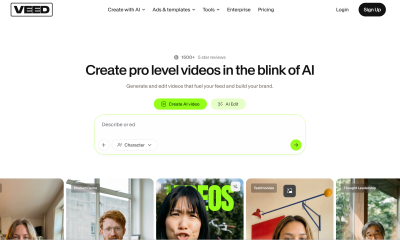
VEED.io is an AI-powered video editing platform that runs entirely in your browser. It eliminates the software installation, steep learning curve, and expensive hardware traditionally required for professional video editing. Instead, VEED.io provides an intuitive drag-and-drop timeline editor enhanced by AI capabilities: automatic subtitle generation with 98.5% accuracy, background removal without a green screen, video translation into 125+ languages, and AI-powered audio cleanup that removes background noise from recordings. The platform is designed for content creators, marketers, educators, and business teams who need to produce polished video content regularly but don’t have dedicated video editing expertise. Every feature works on any device — desktop, tablet, or phone — making VEED.io the most accessible professional video editing solution on the market.

Product Features

  • AI Auto-Subtitles: Generate accurate subtitles for any video in over 100 languages with 98.5% accuracy — edit timing and text directly on the timeline, then export as SRT files or burn subtitles into the video
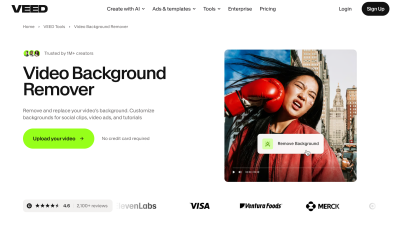
  • AI Background Removal: Remove or replace video backgrounds without a green screen — VEED.io’s AI detects the subject and separates it from the background, enabling virtual studio effects from any recording location
  • Video Translation & Dubbing: Translate spoken content into 125+ languages and generate AI voiceover dubs — create multilingual versions of tutorials, marketing videos, and educational content from a single source
  • AI Audio Cleanup: Remove background noise, echo, and hum from recordings automatically — transform noisy smartphone recordings into studio-quality audio without manual equalizer adjustments
  • Text-to-Video Generation: Create videos from text prompts — describe your concept, and VEED.io generates a complete video with stock footage, transitions, subtitles, and music matching your description
  • Collaborative Editing: Share projects with team members for real-time collaborative editing, comments, and version control — video production becomes a team workflow rather than a solo bottleneck

Product Highlights

  • Zero Installation, Any Device: VEED.io runs entirely in the browser on any device — no downloads, no GPU requirements, no OS restrictions. This makes it uniquely accessible compared to desktop-only editors like Premiere Pro or DaVinci Resolve
  • AI Does the Boring Work: Subtitle generation, noise removal, background separation, and translation are automated — creators spend time on creative decisions instead of mechanical editing tasks
  • One-Click Multilingual Repurposing: Translate and dub a single English video into 125+ languages in one workflow — the most efficient path to global content distribution available in any video editor
  • Enterprise-Ready Collaboration: Team features including shared projects, approval workflows, and brand kit consistency make VEED.io suitable for organizations that need standardized, high-volume video production

Use Cases

  • YouTube Content Creators: Auto-generate subtitles for accessibility and SEO, remove background noise from home studio recordings, and create multilingual versions to expand international audience reach
  • Marketing Teams: Produce social media video ads in multiple formats (square, vertical, horizontal) from a single source, translate campaigns for regional markets, and maintain brand consistency with shared brand kits
  • Educators & Course Creators: Auto-subtitle lecture recordings for student accessibility compliance, translate course content for international student enrollment, and enhance audio quality from budget recording setups
  • HR & Training Departments: Create onboarding videos with auto-subtitles for multilingual workforces, remove background noise from recorded training sessions, and generate translated versions for global team distribution
  • Podcasters: Enhance audio quality, add waveform visualizations, generate auto-subtitles for video podcast episodes, and create short highlight clips for social media promotion from full-length recordings