How to Generate Unit Tests and Documentation Automatically Using GitHub Copilot
Unit tests and documentation are the two pillars of maintainable code — yet they’re also the most neglected. Developers skip tests because writing them feels…
 iaifeed.com

The AI Pair Programmer That Writes, Refactors, and Explains Code in Real Time Inside Your IDE
What is GitHub Copilot?
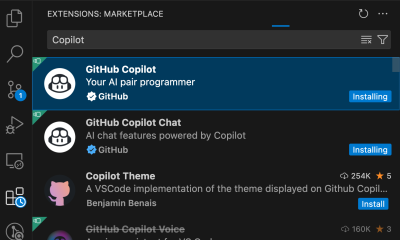
GitHub Copilot is an AI pair-programmer built by GitHub in collaboration with OpenAI, designed to live inside your IDE and assist with every stage of the coding process. Powered by OpenAI’s Codex and GPT models, Copilot reads the context of your current file — including imports, variable names, comments, and surrounding code — and suggests completions in real time as you type. Beyond simple autocomplete, it can generate entire functions from a descriptive comment, propose multiple alternative implementations, refactor messy code into clean patterns, explain what a code block does in plain English, and write unit tests matching your existing test framework. Copilot supports virtually every programming language and integrates with VS Code, Visual Studio, JetBrains IDEs, and Neovim, making it the most widely adopted AI coding assistant in the world. Whether you’re a junior developer learning new frameworks or a senior engineer speeding through routine implementation, Copilot reduces keystrokes, prevents syntax errors, and keeps you focused on architectural decisions rather than mechanical coding.
Product Features
Product Highlights
Use Cases

The AI-Powered Terminal That Explains Commands, Debugs Errors, and Writes Scripts Directly in Your CLI

The AI Code Completion Assistant That Accelerates Development with Privacy-First, Enterprise-Grade Autocomplete

Anthropic's Most Capable AI Model for Ambitious, Long-Running Coding and Complex Knowledge Work

Devin (formerly Codeium) is an AI-native code editor that provides deep codebase-aware autocomplete, multi-file refactoring, inline chat, and intelligent debugging…

Scale Personalized Outbound Campaigns with Multi-Source Data Enrichment

The Elite Command-Line AI Coding Agent for Direct Repository Editing
Unit tests and documentation are the two pillars of maintainable code — yet they’re also the most neglected. Developers skip tests because writing them feels…

Code review is the gatekeeper of software quality — catching bugs, enforcing standards, and preventing regressions before they reach production. But review is also a…