
How to Analyze Long PDF Documents with Claude AI
Claude’s massive context window (supporting over 200,000 tokens) makes it the absolute gold standard for processing heavy academic PDFs, legal contracts, or entire financial books. Instead of skimming through hundreds of pages yourself, you can use Claude to extract needle-in-a-haystack insights with extreme precision.
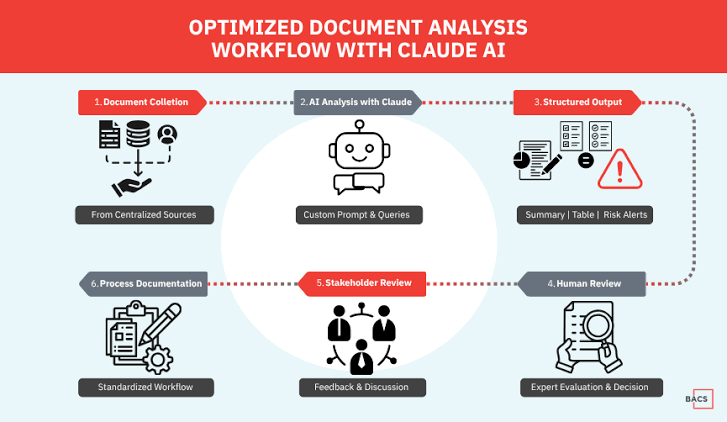
The Perfect Prompting Framework for PDFs
When analyzing documents, do not just ask “summarize this.” Use this structured prompt to get executive-level outputs:
Act as a senior legal and financial auditor. I have uploaded [Document Name].
Analyze the text and provide:
1. Executive Summary: A 3-sentence high-level overview.
2. Key Risks: Bullet points highlighting any red flags or anomalies.
3. Structured Table: Extract all core dates, parties, and monetary values into a markdown table.
Do not assume or hallucinate. If a detail is missing, explicitly list it as 'Not Specified'.


