
How to Conduct Deep Academic Research Using Perplexity AI
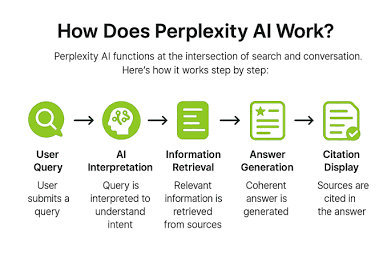
Traditional search engines give you a list of links; Perplexity AI gives you synthesized answers complete with inline citations. This makes it an invaluable companion for researchers, students, and journalists who need to find verified information quickly without falling into rabbit holes.
Activating Pro Search for Research Papers
To get academic-grade insights, follow these steps:
- Turn on ‘Pro’ mode: Toggle the Pro switch in the input box to let Perplexity break your query into multiple search steps.
- Set Focus to ‘Academic’: Click the Focus button and choose Academic to restrict your search strictly to peer-reviewed journals, ArXiv, and published papers.
- Use Boolean Operators: Enter complex queries (e.g., “Impact of microplastics on marine biology AND ‘North Atlantic'”).
- Follow Up: Ask Perplexity to dig deeper into any specific study mentioned in the generated answer.
