
How to Use ChatGPT Canvas for Creative and Academic Writing
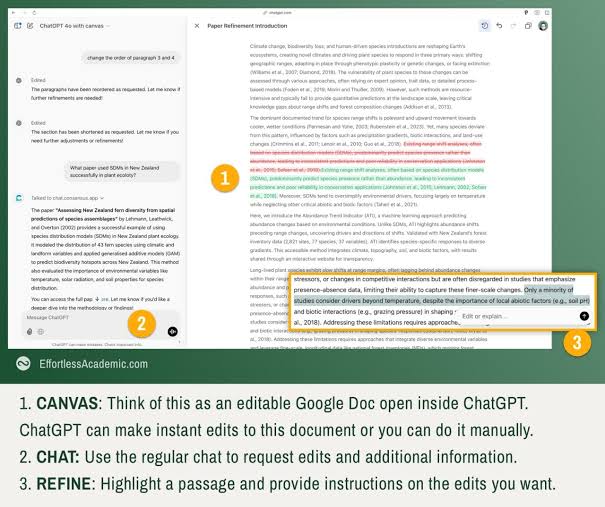
ChatGPT Canvas introduces a dedicated writing workspace side-by-side with your chat. This interface allows you to edit text directly, highlight specific paragraphs, and ask the AI to make contextual updates without regenerating the entire output.
How to Edit Your Draft Using Canvas
- Highlight to Refine: Simply select any sentence or paragraph inside the document. A popup menu will appear allowing you to click “Edit or explain”.
- Adjust Writing Level: Use the slider tool to quickly adapt the reading level from elementary school up to graduate level.
- Polish Grammar: Click the wand tool to automatically review grammar, fix run-on sentences, and smooth out transition words.
- Add Inline Comments: Ask ChatGPT to leave constructive feedback or highlight areas that need stronger real-world evidence.
